The Benefits of a Free LinkedIn vs. Sales Navigator for Solopreneurs, Small Business Owners & Sales Professionals
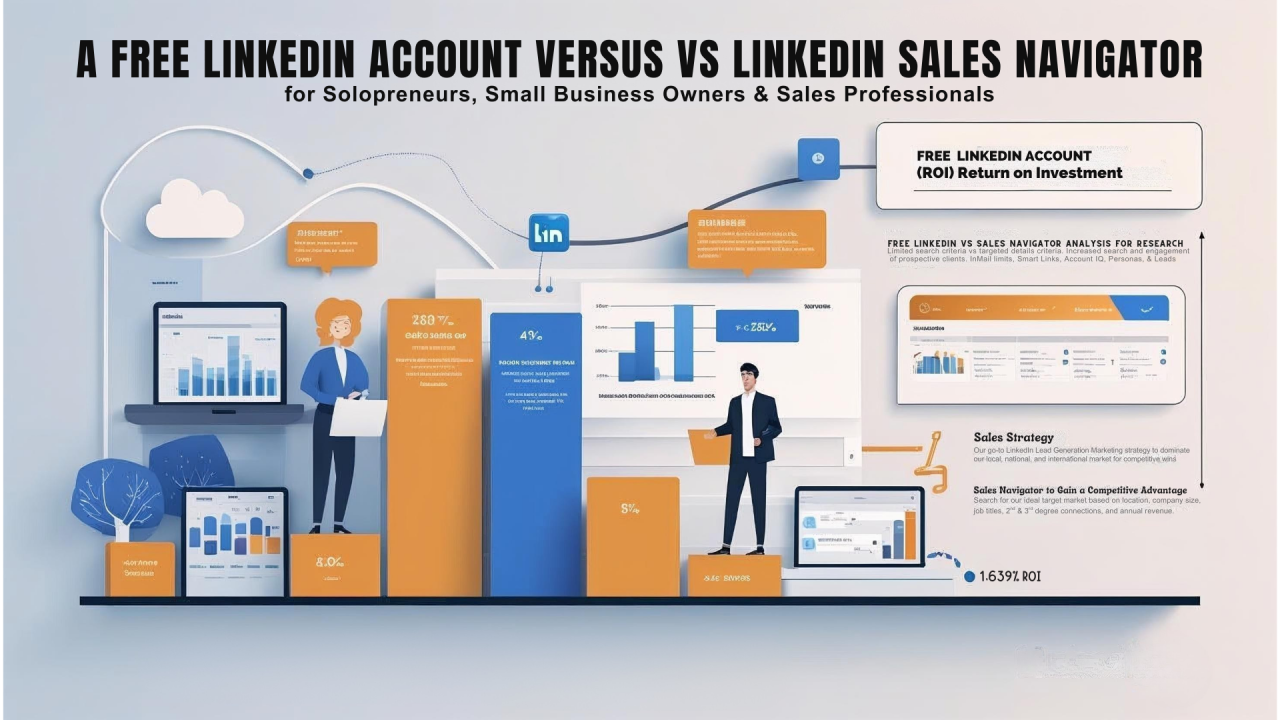
As a solopreneur, small business owner, or sales professional, time and efficient resources are priceless. When considering lead generation on LinkedIn, you're likely weighing your options: stick with the free account you already have, or invest in Sales Navigator.
Both offer pathways to connect, but they cater to different needs. Let's dive deeper into the advantages and disadvantages of each, now with practical tips and examples to help you decide which option is best for you.
The Power of Free: Leveraging Your Basic LinkedIn Account
Many solopreneurs and small businesses start their LinkedIn journey with a free account, and for good reason. It offers a solid foundation for building your professional presence and making initial connections. The same is true if you're a sales professional.
Advantages of a Free LinkedIn Account for Lead Generation:
- Cost-Effective: For solopreneurs and small business owners, the most significant advantage is that it requires no financial investment, enabling you to allocate your budget to other areas. If you're working with a limited budget, this could be your best option. As a sales professional, you might be fortunate if your company already covers this expense for you. However, if that’s not the case, you should carefully evaluate whether paying for it out of pocket is a sensible choice for you.
- Networking Basics: You can connect with people you already know, join relevant groups, and engage in discussions within your industry.
- Tip: Actively participate in 3-5 relevant LinkedIn groups. Share valuable insights, answer questions, and comment thoughtfully on others' posts.
- Example: If you're in B2B sales who sell services or products to business owners, join groups focused on "Small Business Marketing," "Content Strategy," or "Social Media Growth." Share a recent article you found helpful and ask for others' perspectives.
- Profile Optimization: A well-crafted profile acts as your digital business card, attracting potential leads who stumble upon your page.
- Tip: Use relevant keywords throughout your profile, especially in your headline and "About" section. Clearly articulate the value you offer to your target audience.
- Example: Instead of a generic headline like "Owner," try "Marketing Consultant Helping Small Businesses Increase Leads Through SEO & Content." In your "About" section, detail the specific problems you solve for your clients and showcase your expertise with quantifiable results, if possible.
- Content Marketing: Sharing valuable content, such as articles, updates, and insights, can organically attract interested prospects.
- Tip: Regularly post updates, share industry news with your commentary, or write short articles on LinkedIn Pulse addressing common challenges your target audience faces.
- Example: A freelance web designer could share a post about the "Top 3 Website Mistakes Small Businesses Make" with actionable advice.
- Basic Search Functionality: You can search for individuals based on basic criteria like name, company, and title.
- Tip: Utilize Boolean search operators (AND, OR, NOT) to enhance your basic searches.
- Example: To locate marketing managers at small tech companies, you might consider searching for "Marketing Manager AND Small Business AND Technology" (though this search method is less effective than Sales Navigator).
Sales Navigator: The Lead Generation Powerhouse
LinkedIn Sales Navigator is a paid subscription designed specifically for sales professionals and businesses focused on targeted lead generation and relationship building.
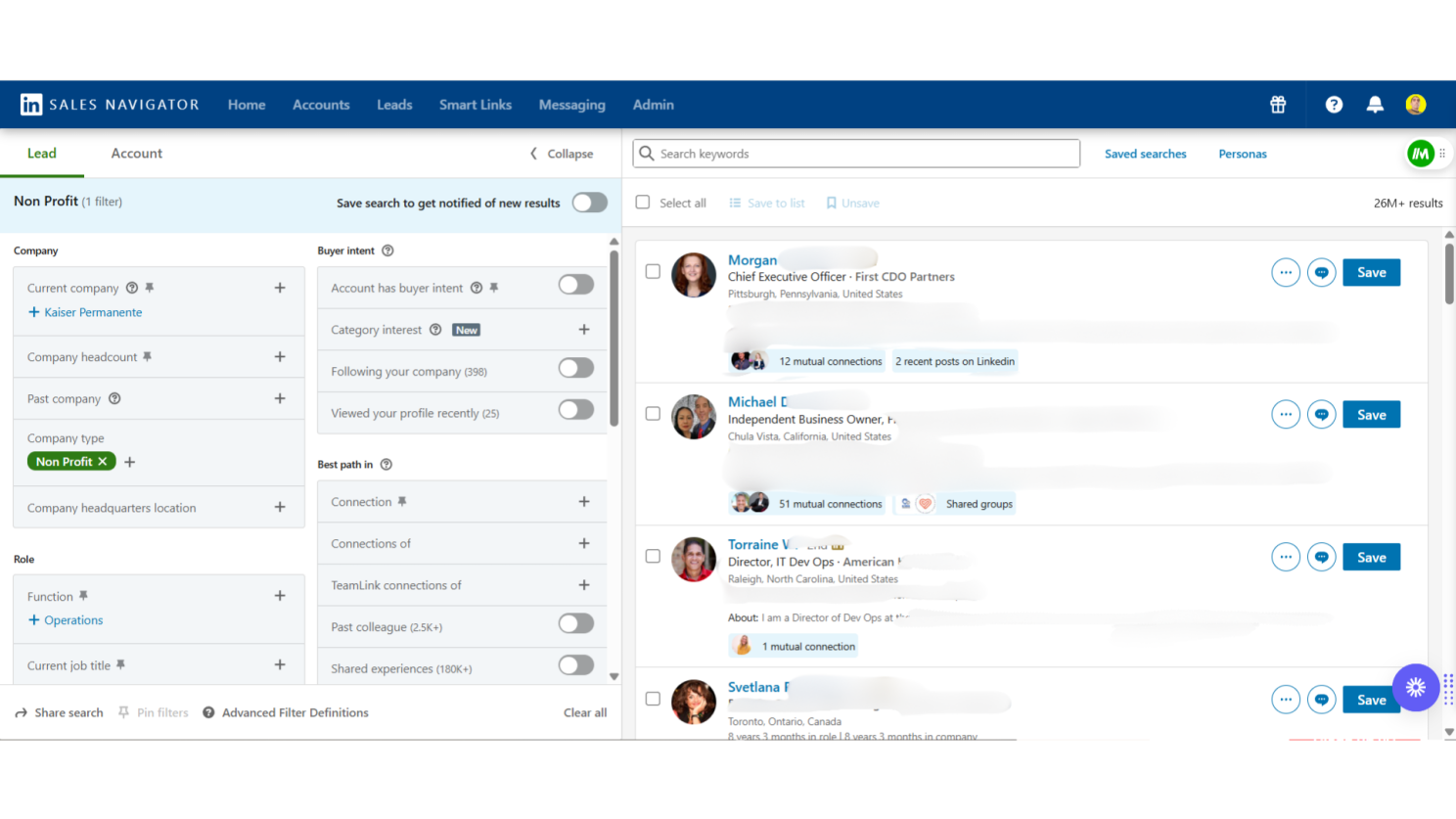
Advantages of LinkedIn Sales Navigator for Lead Generation:
- Advanced Search Filters: This is where Sales Navigator truly shines. You gain access to highly granular filters like industry, company size, function, seniority level, keywords, and even specific buying signals. This allows you to pinpoint your ideal prospects with precision.
- Tip: Create saved searches with your ideal customer profile criteria. Regularly review the new leads that match your saved searches.
- Example: If you sell project management software to marketing agencies with 10-50 employees in the United States, you can create a saved search with these specific filters, including keywords like "project management challenges" in their profiles.
- Unlimited Search & Profile Views: Say goodbye to limitations in search results. You can explore a vast pool of potential leads without facing daily or monthly caps.
- Lead Recommendations: Sales Navigator uses algorithms to suggest relevant leads based on your saved searches and activity, uncovering opportunities you might have missed.
- Tip: Regularly check your lead recommendations and review why each lead is suggested. This can help you refine your search criteria.
- Real-time Insights & Alerts: Stay informed about key activities of your leads and accounts, such as job changes, company news, and engagement with your content. This allows for timely and relevant outreach.
- Tip: Set up alerts for job changes within your target accounts. Reaching out with a congratulatory message and subtly mentioning how your services could benefit them in their new role can be very effective.
- Example: If your target contact at a key account just got promoted to a VP role, you could send an InMail congratulating them and briefly mentioning how your solution helps VPs in their industry achieve specific strategic goals. Also, if a current client of yours is on LinkedIn and they just changed companies, this opens opportunities to land a new account with a satisfied customer who already knows, likes and trusts you.
- Advanced InMail Capabilities: Send direct messages to individuals outside your network with a higher success rate compared to connection requests followed by messages.
- Tip: Personalize your InMails! Reference something specific from their profile, their company's recent news, or a shared connection. Avoid generic sales pitches.
- Example: "Hi [Name], I noticed your company recently launched [New Product/Service]. I'm curious how you're managing [Related Challenge]. We've helped similar companies in the [Industry] achieve [Specific Benefit] by implementing [Your Solution]."
- Account Tracking: Monitor key accounts, understand their organizational structure, and identify relevant stakeholders.
- Tip: Create lists of target accounts and track the key decision-makers within those organizations.
- Example: If you're targeting a specific mid-sized manufacturing company, you can track the CEO, VP of Operations, and Head of Procurement to understand the key players involved in purchasing decisions.
- Integration with CRM: Seamlessly integrate Sales Navigator with your Customer Relationship Management (CRM) system to streamline your sales process. NOTE: Some CRM's may not have an approved integration so this can be tricky.
- Saved Searches & Lead Lists: Save your ideal search criteria and create targeted lead lists for efficient outreach and follow-up.
- Tip: Organize your leads into specific lists based on industry, pain points, or engagement level. This helps you tailor your messaging.
- Example: Create lists like "Marketing Managers in SaaS Companies," "Founders Interested in Content Marketing," or "Leads Who Engaged with My Recent Webinar."
Making the Right Choice for Your Business:
So, which option is best for you? Consider the following factors:
- Your Budget: Carefully evaluate the ROI potential of Sales Navigator. How many leads do you realistically need to generate to justify the cost? Sales Navigator offers different packages which offer more advance features, including an account with a team.
- Your Lead Generation Goals: Are you aiming for a high volume of leads or a smaller number of highly qualified prospects? Sales Navigator excels at the latter.
- Your Time Commitment: How much time can you realistically dedicate to lead generation? Sales Navigator can save you significant time with its advanced features.
- Your Current Success with the Free Account: Honestly assess the limitations you're facing. Are you consistently missing opportunities due to free account restrictions?
- The Size and Complexity of Your Target Market: If your ideal customer profile is niche and requires very specific search criteria to identify, Sales Navigator is absolutely the better choice.
The Bottom Line:
Both the free LinkedIn account and Sales Navigator are valuable tools; however, they serve different purposes and cater to varying sales & lead generation strategies.
A free LinkedIn account offers a basic foundation for professionals by providing essential networking opportunities and increased visibility.
LinkedIn Sales Navigator offers a significant advantage for solopreneurs, small business owners, and sales professionals who are focused on targeted, efficient lead generation.
By leveraging Sales Navigator's advanced search capabilities, insights, and outreach features, you can identify your ideal customers, understand their needs, and build meaningful connections that drive business growth.
Start with a clear strategy, use the tips provided, and select the platform that best empowers you to achieve your specific lead generation goals.
Consider taking advantage of Sales Navigator's 30-day free trial to experience its benefits and effectiveness firsthand.
Ready to Master LinkedIn for Your Business? Which option suits your business needs? Share your thoughts below! 👇
For more tips and strategies on leveraging LinkedIn to grow your business, I invite you to join my FREE LinkedIn Xocial Mastery group! 👇🏾
➡️ Go here to request FREE access 👉🏾 LinkedIn Xocial Mastery Community
NOTE: The LinkedIn Xocial Mastery Community is currently only available to account holders in the United States and Canada! The group is open to small business owners, solopreneurs, contract workers, freelancers, and startups who want to learn how to use LinkedIn and other marketing strategies to grow their book of business. This group is not open to other marketing agencies or anyone offering any type of marketing services to businesses as a service or product.
Let's connect and elevate your LinkedIn game together!